
Ideas are sacred.

For conversations that shouldn't leave the room.

Safeclip records, transcribes and writes notes on your computer, on Mac, Windows and Linux. The audio and notes stay there, and we publish exactly what does leave.

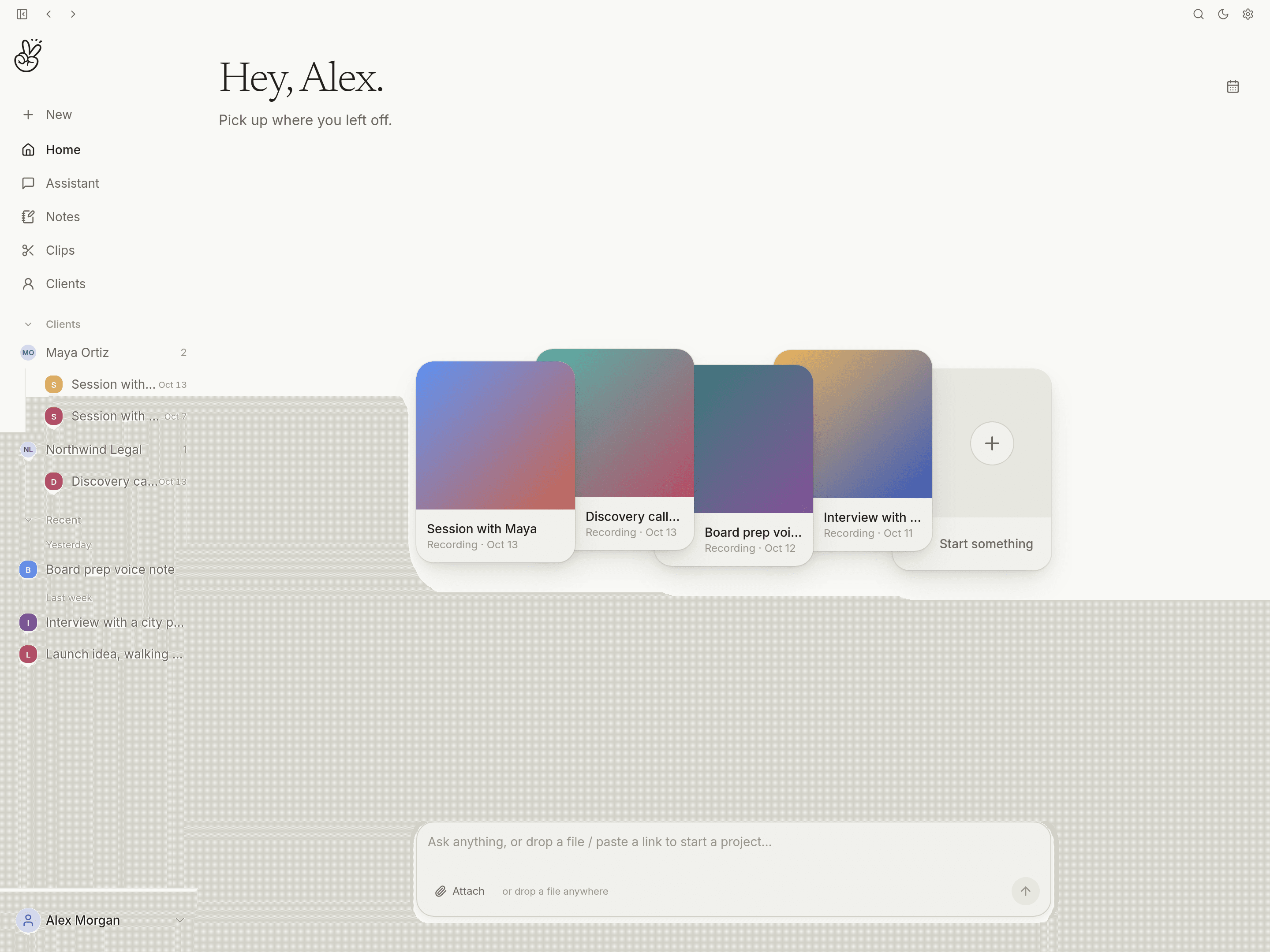
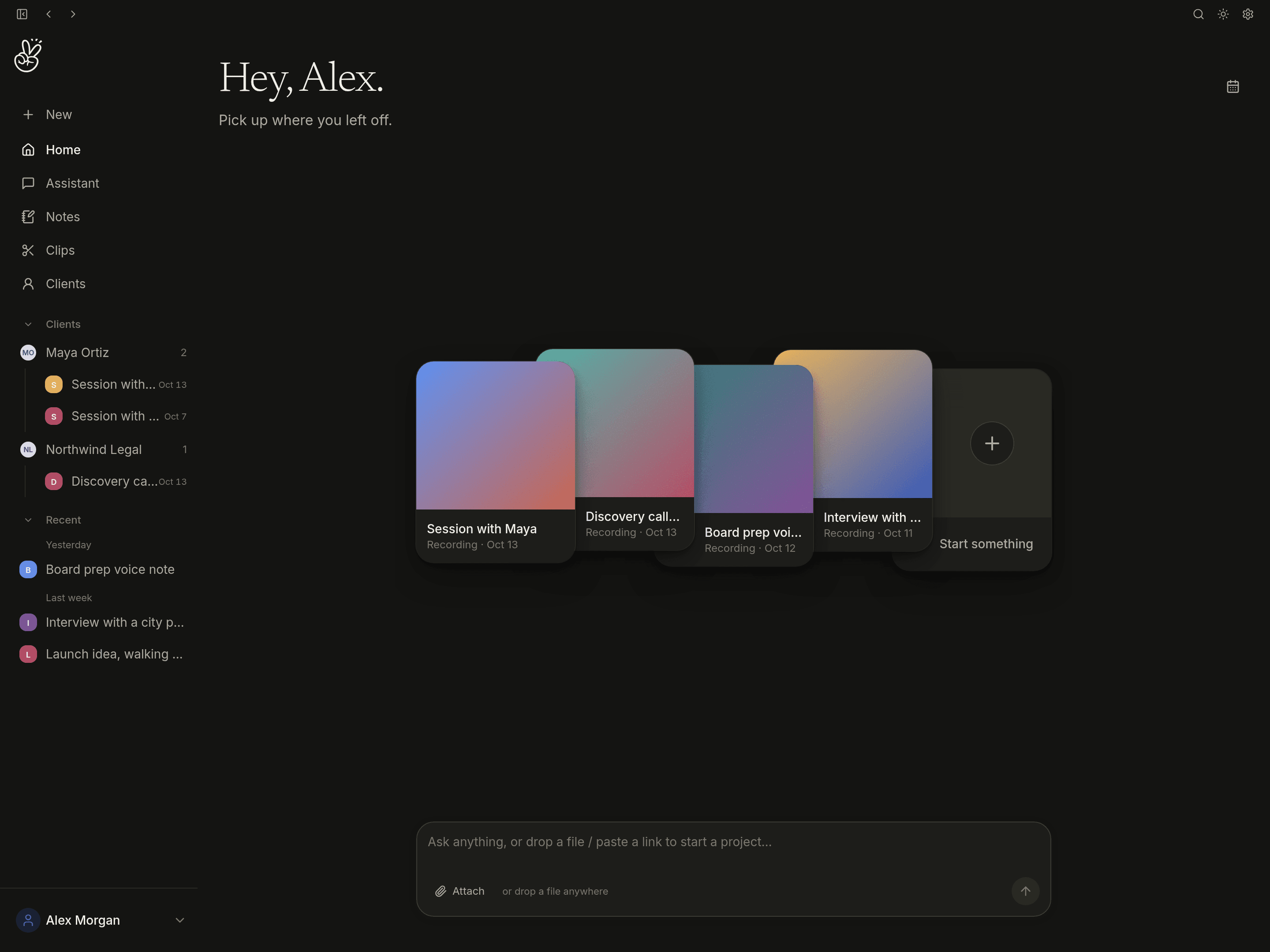
The Safeclip app: the library home screen with recent recordings, client spaces in the sidebar and the Ask box
The Safeclip library, with sample data. Client spaces, in the sidebar, come with the Founding License.

What it is

A private workspace for what's said out loud.

Recordings, transcripts and notes are created and saved on your computer. They are not sent to Safeclip.

01

Record

Voice notes, sessions in the room and calls: your microphone plus the call audio. Or drop in a file, or paste a link.

02

Transcribe

Whisper turns speech into a timestamped transcript on your computer. English only today.

03

Write the note

A local model drafts the summary, decisions and next steps from the template you pick. You edit it.

04

Ask

Ask across everything you have recorded and get the passage back with its timestamp. Runs on a local model by default.

Who it's for

For people who are trusted with what's said.

Also in Safeclip

From a voice note to an audiogram.

For freelancers and creators: pull the line worth sharing out of a recording and export it, without uploading the source anywhere.

  1. 01Record a voice note or a call, or drop in an episode.
  2. 02Read the transcript and find the line worth sharing.
  3. 03Trim the clip to that moment, with captions from the transcript.
  4. 04Export a captioned clip or a waveform audiogram, rendered on your computer.

10 exported clips or audiograms a month on Free. Unlimited with the Founding License. Safeclip for freelancers →

What leaves your computer, and what doesn't.

Session audio and notes stay on your computer. They are not sent to Safeclip. Here is the short version of the full list.

Stays on your computer

  • Recordings and audio
  • Transcripts and notes
  • Ask, on the local model
  • Clips, client spaces and calendar events

Leaves your computer

  • Update checks, to Safeclip
  • Sign-in and a license check at launch and daily, only if you sign in for Founding
  • Model downloads from Hugging Face and GitHub, including the local search model if you turn on Search by meaning
  • Cloud Ask, only if you turn it on with your own key
  • Transcripts of files an AI assistant you connect asks for, and your library’s transcripts and notes only if you let it read them
  • Media from a link you paste, fetched from that site

No analytics or crash reporting in the app. Read the full list →

Mac, Windows and Linux.

One app on all three. Record, transcribe, write notes, Ask and make clips on whichever computer you work on, including the Windows laptop your firm issued or the Linux machine you built.

Mac

Apple Silicon, macOS 14 or newer

Transcription runs on the GPU. Also has calendar, text from images and Apple Notes import.

Windows

Windows 10 or 11, x64

Records call audio from your speakers or headset. Transcription runs on the CPU, so it is slower.

Linux

x64, Ubuntu 22.04 or newer, .deb or AppImage

Records call audio from your output device. Transcription runs on the CPU, so it is slower.

Today, calendar, text from images and Apple Notes import are macOS only, and meeting detection on Windows and Linux spots Zoom only. There is no iPhone app. Downloads and platform details →

Free to use. $99 once for more.

Free

$0

Unlimited notes, voice notes, meetings, imports and Ask, with local transcription. 10 exported clips or audiograms a month.

Founding License

$99 once, for life, sold until December 31, 2026

Unlimited exports, client spaces, more custom note templates and optional cloud Ask with your own key. No subscription, and every future update included. After that, Safeclip Pro is $144 a year, or $249 once.

See pricing →

Questions people ask first

What leaves my computer?

Session audio, transcripts and notes stay on your computer. They are not sent to Safeclip. The main things that go over the internet: update checks to Safeclip, plus your sign-in and a license check at launch and daily if you sign in for Founding. No account is needed to use Safeclip. Model downloads on first run, from Hugging Face and GitHub. Media from a link you paste, fetched from that site. And two things that are off until you turn them on: cloud Ask with your own API key, and the local API, which lets another app on your computer read your transcripts if you give it library access.

The app has no analytics, telemetry or crash reporting. The full list also covers avatars, feedback you send and the rare fallback downloads.

Read the full list →

Does Safeclip ever hear my recordings?

The desktop app doesn’t send your audio, transcripts or notes to Safeclip. Recording, transcription and notes run on your computer, and the files are saved there.

Library content can leave only through two features you turn on yourself. Cloud Ask with your own key sends the question and the passages Ask found to the provider you chose, not to us. The local API lets another app on your computer, such as an MCP client, read your transcripts if you give it library access; what that app does next is up to it.

Does it work offline?

Yes, once the models are downloaded. Recording, transcription, notes and Ask on the local model all work with no connection, on a plane or in a basement.

No account is needed. If you sign in for Founding, signing in needs a connection once; after that the license works offline too and re-checks when you reconnect. Link imports and cloud Ask need a connection.

Does it run on Windows and Linux?

Yes. Safeclip runs on Mac (Apple Silicon), Windows (x64) and Linux (x64). Recording, call audio, transcription, notes, Ask and clips work on all three.

A few things differ today. Transcription uses the GPU on Apple Silicon and the CPU on Windows and Linux, so it is slower there. Calendar, text from images and Apple Notes import are macOS only. Meeting detection on Windows and Linux spots Zoom only. There is no iPhone app and no Intel Mac build.

See the platform details →

Which languages does it understand?

English only today. The speech models Safeclip ships with (Whisper base.en, and small.en if you choose it) are English models. If your conversations are in another language, Safeclip is not the right tool yet.

What happens if I stop paying, or if Safeclip goes away?

There is no subscription to stop. Free stays free, and the Founding License is a single payment.

Your library is files on your computer, not an account on our servers. Settings has Export everything, which writes your notes, transcripts, client details and chats as plain Markdown. Recordings are ordinary audio files in the Safeclip data folder. The app needs our servers for sign-in and the license check; your files don’t, and they stay readable without Safeclip.

More answers: consent, BAAs, storage, open source →

Why this exists

I've spent my whole life making things. Records, brands, products. The best parts always started as something said out loud. A voice memo in a parking lot. A throwaway line in a meeting. A half-idea worth keeping.

Somewhere along the way, keeping those moments started to mean handing them to someone else's servers. That never sat right with me. Your ideas are sacred. You shouldn't have to trade them away just to remember them.

So I built Safeclip. A place where what you capture is understood by your own computer, and stays yours.

Zach McNair, founder of Safeclip

Zach McNair

Founder, Austin, Texas

Keep your ideas close.

Free to download for Mac, Windows and Linux, and your recordings stay on your computer. Until December 31, 2026, early supporters can get a Founding License for $99: one payment, for life.